
The coolest programming projects I've built this year
My 2025 coding roundup

2025 has been a pretty awesome year for building projects. As the year draws to a close, I thought it would be a good idea to share some of my favourite projects (big and small) that I’ve built this year.
Email Inbox Labeller 📧
My emails can get pretty hectic sometimes. A few months ago I decided I’d had enough of opening my inbox every morning and going through the same process of categorising emails from new contacts into their various categories (“new business”, “admin”, “invoices”, etc).
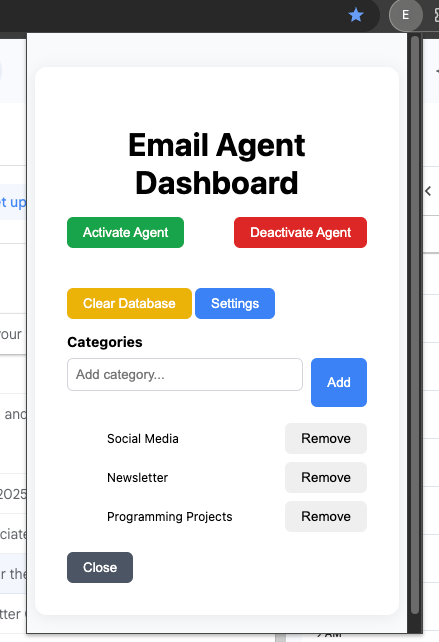
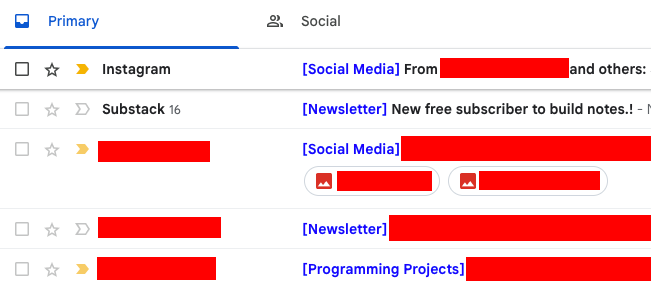
Every time I open my emails, the extension would check if an email has been categorised in the local storage and display its category. If it hasn’t been categorised, it would ask an AI Agent to categorise it.
Tech Stack
Language: TypeScript
Agent: OpenAI Agents SDK
Database: SQLite
How it works
This Chrome Extension is built using TypeScript. It has a really simple HTML interface which runs the categorisation logic locally. So your OpenAI API key is only stored on your local computer, and there is no need to connect to or pay for any other service to host the backend.
It uses OpenAI’s Agents SDK to analyse the contents of the email subject, sender and preview snippet. The agent has the ability to query similar emails that have been categorised, in an attempt to make the categorisation functionality more intelligent without requiring any super complex sorting or data structures.
Code: https://github.com/IAmTomShaw/email-inbox-agent
Stock tracker Agent 📈
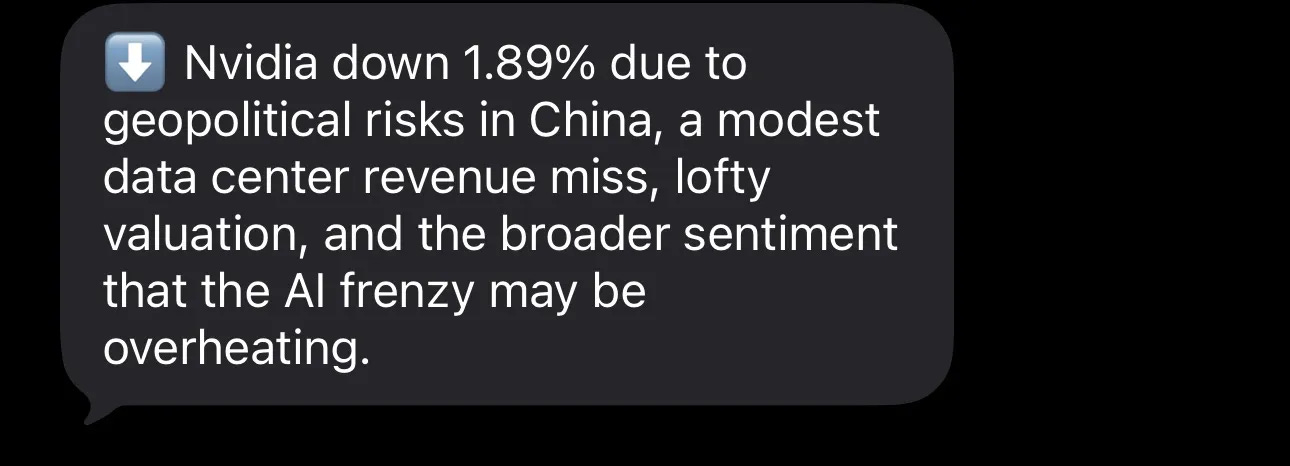
This SMS service notifies me if any of my investments go up or down more that a specified percentage over the course of a day, and (crucially) does the research to let me know why each stock has risen or fallen.
Tech Stack
Language: Python
Backend: FastAPI
Hosting: Amazon Web Services
SMS Service: Twilio
Agents: OpenAI Agents SDK
How it works
This project runs as a small backend service and communicates entirely over SMS. It’s built with FastAPI and uses Twilio webhooks so you can text the system directly to add or remove stocks, or ask for current prices. Stock prices are pulled from public market data, and an automated background job checks tracked stocks on a schedule to see if anything has moved significantly.
When a stock crosses a defined threshold (for example, up or down 2%), the system uses OpenAI’s Agents SDK to kick off a research workflow. One agent gathers recent context from the web to understand why the price moved, and another agent summarises that information into a short explanation and sends it via SMS.
Code: https://github.com/IAmTomShaw/stock-tracker-agent
If you’d like to learn more about this project, you can read the newsletter post from last month.

Quotation Agent 💰
Sometimes I’ll spend all day sending out quotes for different project requests that I’ve received over the course of a week. Its a nice problem to have, but takes way too much time.
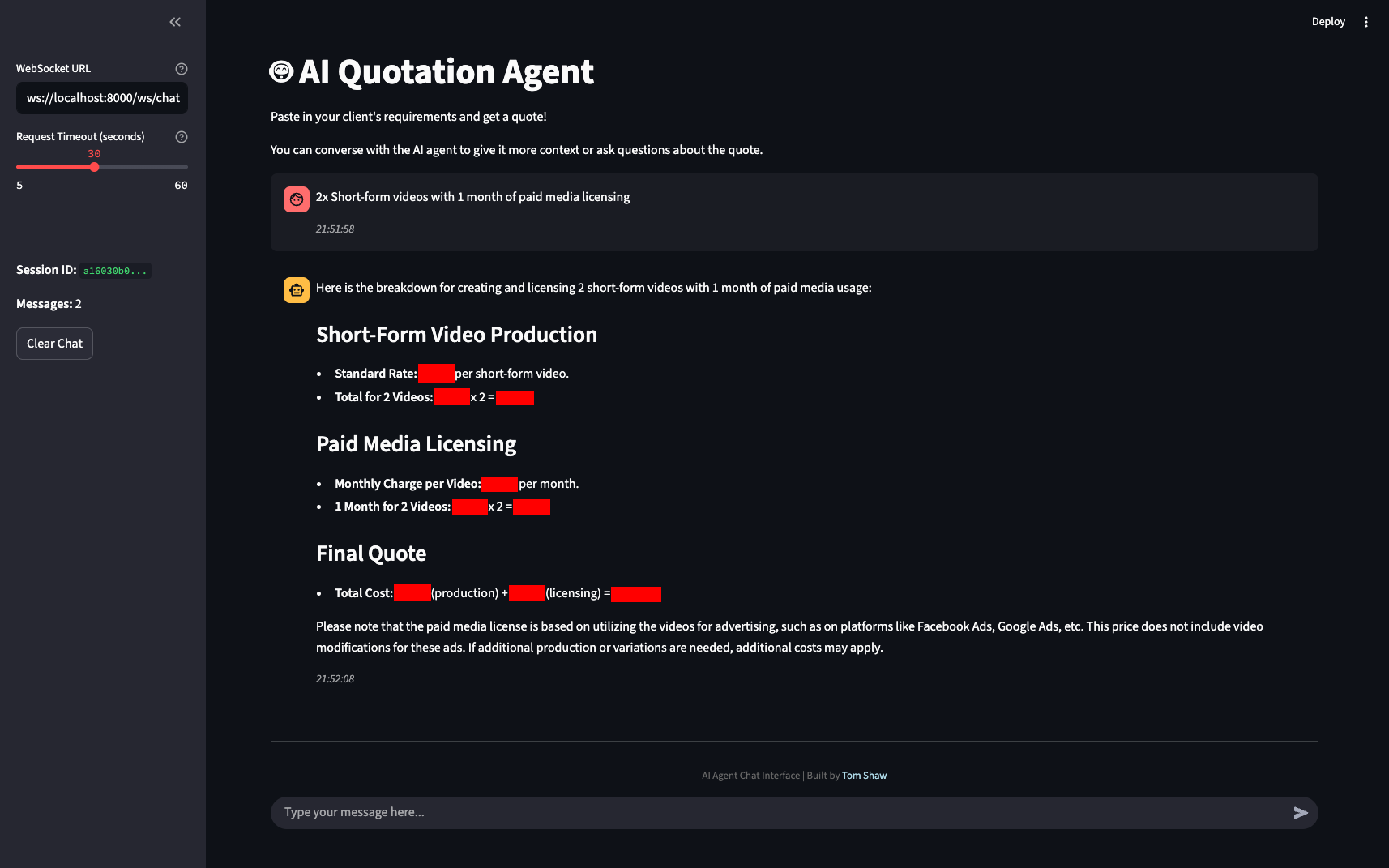
With the desire of automating as much of the boring bits of my work as possible, I built a chatbot tool that enabled me to submit the requirements that a client has sent me and generate a custom project quote/proposal based on my standard pricing for my services and industry standard rates.
I’m able to send and receive messages from the chatbot, so we can talk about the specifics of the project and come up with the final quote together before sending it to the client.
Tech Stack
Language: Python
Interface: Streamlit
Backend: FastAPI
Agents: OpenAI Agents SDK
Knowledge: Notion API (to my pricing doc)
How it works
The project is powered using Python, with effectively two applications built into one. A frontend application to create the sleek looking interface you saw above (built using Streamlit) which uses a WebSocket connection via FastAPI to connect to the simple Python backend which runs the chatbot logic via OpenAI’s Agents SDK.
The Chatbot Agent has access to tools that enable it to retrieve my service pricing information from Notion page, and search the internet for information relating to industry standard pricing and terms.
Code: https://github.com/IAmTomShaw/quotation-agent
NFL Throwing Game 🏈
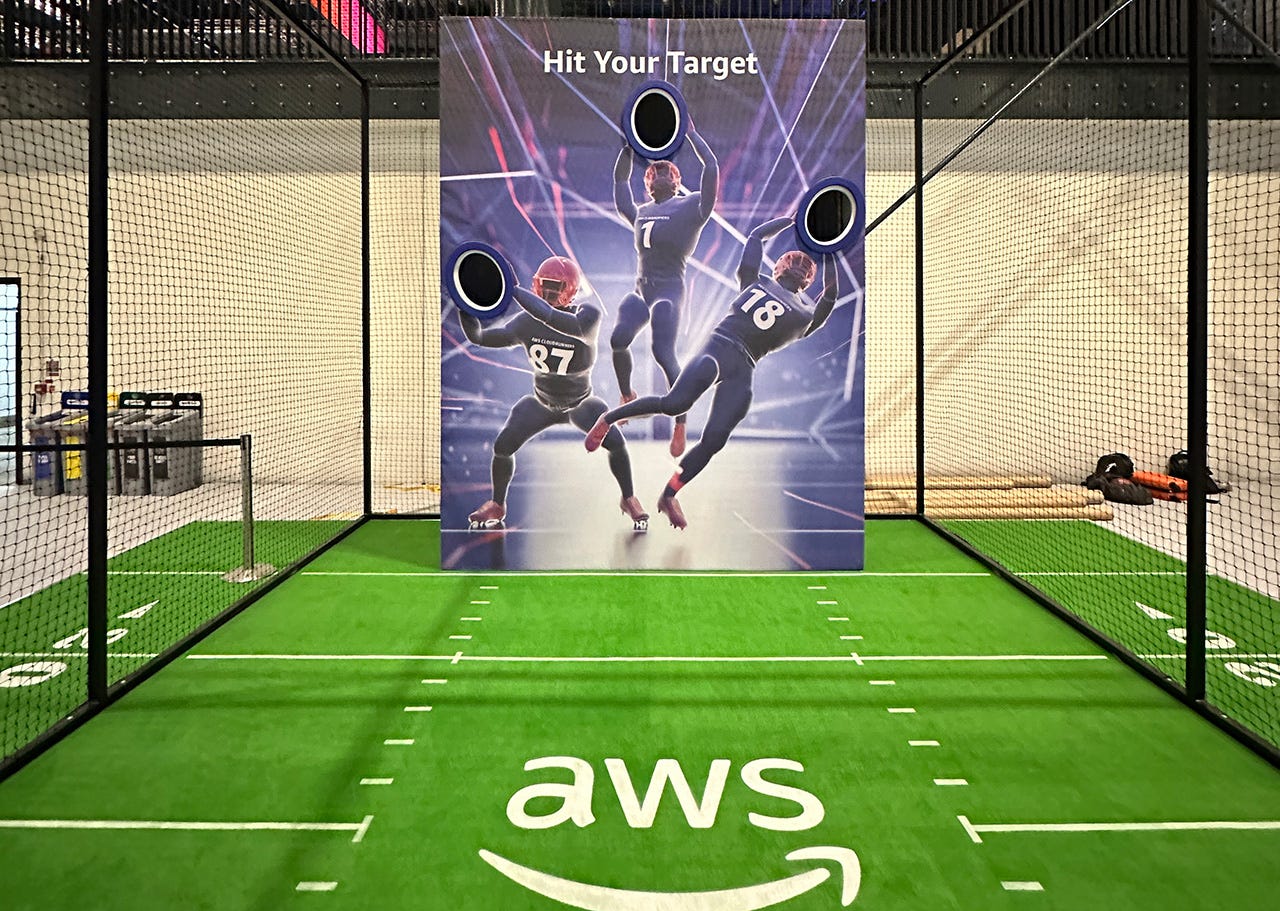
Earlier this year, I helped to build an activation for the AWS Summit in London. The idea was to build a target game which tests players accuracy and reaction time.
Players would be able to sign up with a staff member, have the game remotely started, have their score accurately measured and then view their results instantly on the digital leaderboard.
Tech Stack
Leaderboard and Admin Platform: React
Backend: TypeScript (with Express and Socket.io)
Game Runner: Python (with dearpygui)
Microcontroller Language: MicroPython
How it works
Using a set of Raspberry Pi Pico Microcontrollers, some break beam sensors and RGB LED light strips I was able to build the hardware for the project.
Each target hole used a break bean sensor to a ball passing through, and an LED light strip to indicate when a user should throw the ball at that hole (blue), if the user had scored (green flashes) and if the player had missed or ran out of time (red flashes).
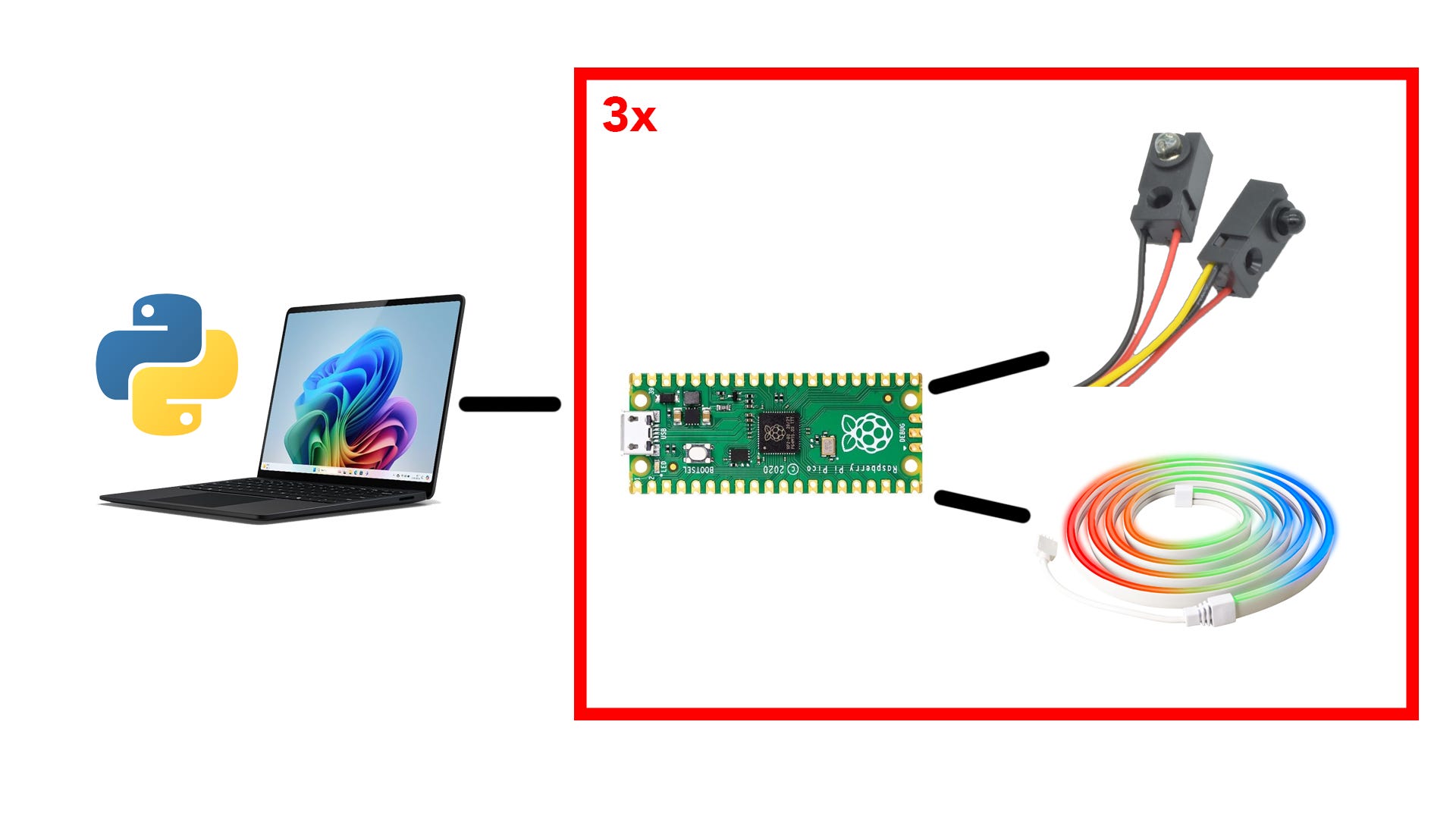
Using a laptop stored inside of the structure (running a Python application), I was able to bridge the gap between the cloud-based backend service and the hardware inside of the structure.
Here’s a video explaining a bit more about how it works:
Code: Unfortunately I can’t share this one as its a project for a client.
(Just to be clear, I only built the tech for this project. The idea, construction of the structure and the branding was not handled by me. Only the software and hardware running the game)
F1 Race Replay 🏎️
This project went pretty viral over the past few weeks. If you haven’t heard about it, let me introduce you to F1 Race Replay, an interactive Formula 1 race visualisation and data analysis tool built with Python!
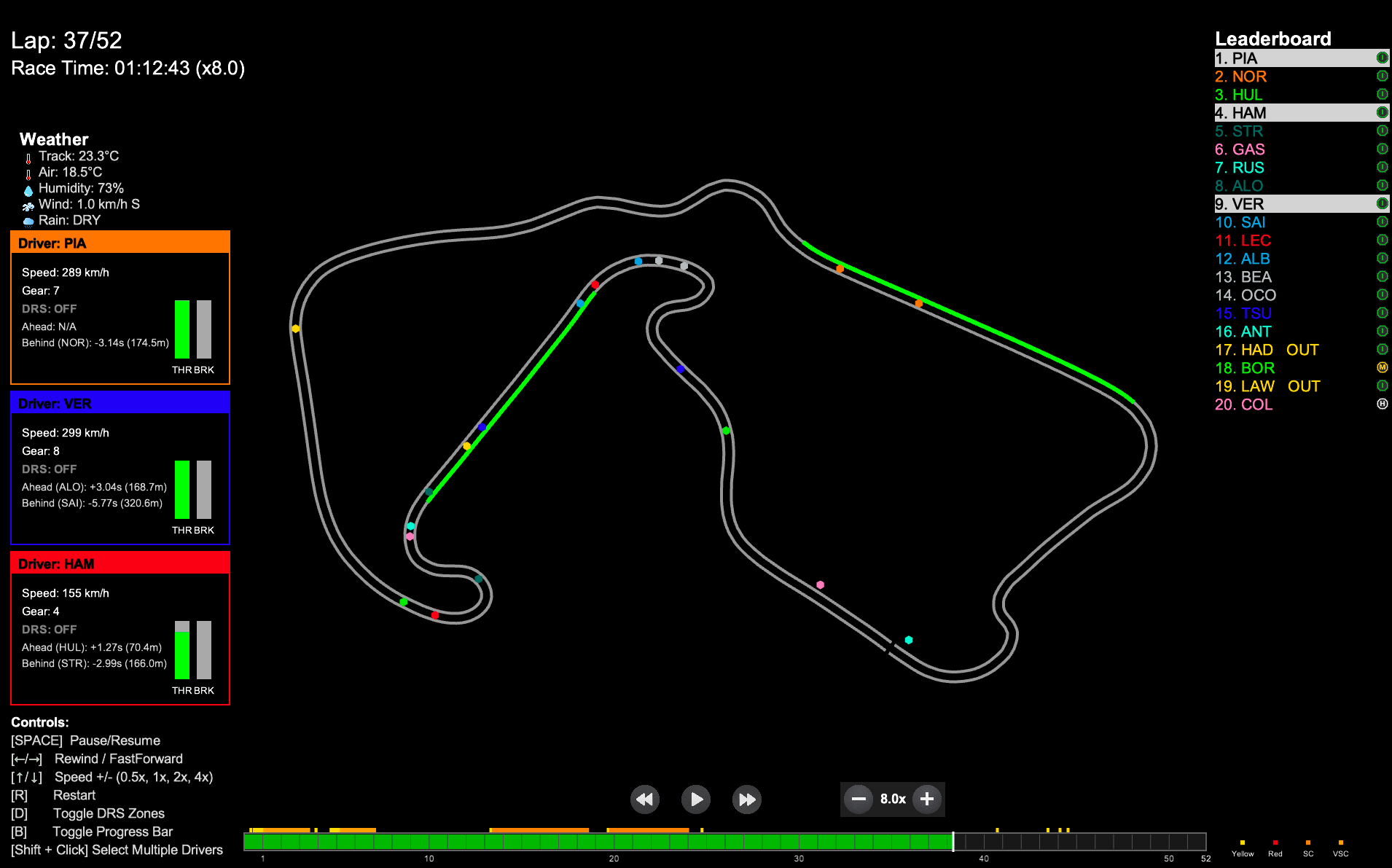
Using the tool, you can re-watch races play out on the track map, while viewing insights into things like weather, car telemetry, flags, safety cars, etc.
It also has the ability to view detailed telemetry from drivers’ qualifying laps and compare the data with another driver.
Tech Stack
Language: Python
Data Source: FastF1
Interface: Arcade
How it works
Using the FastF1 library, all of the raw race data (positions, lap times, speeds, tyre info, etc) is gathered and then normalised onto a single, continuous timeline so every car can be replayed in sync. Because different cars report data at slightly different intervals, the system interpolates positions to ensure smooth, accurate movement throughout the race.
The replay itself is rendered using the Arcade game library, which acts as a lightweight 2D engine. Each car’s position is updated frame-by-frame based on the processed telemetry, while a separate data layer drives the live leaderboard, lap counters, tyre compounds, and race state.
Code: https://github.com/IAmTomShaw/f1-race-replay
If you’d like to learn more about this project, visit this post:

I hope you all have a great holiday period. One more newsletter post to go before the new year, let’s finish 2025 on a high! :)